
Back to Portfolio
Design Harvard Business Publishing • with Wilma Huertas
Admin Experience for Harvard Business Impact
End-to-end design of the admin experience for Harvard Business Impact. Includes group and assignment management, and custom pathway creation.
The Challenge
Enterprise learning platforms live and die by their administrative layer. Harvard Business Publishing needed a complete admin experience for Harvard Business Impact, their B2B learning platform serving organizations across industries. The work had a clear scope: design the tools organization admins use to manage user groups, assign content, and configure notification behavior.
The challenge was coherence. Admin interfaces are notorious for accumulating screens that work independently but feel disconnected. Every feature needed to be designed across its full interaction arc — empty state, populated state, creation flow, edit mode, confirmation, and error handling — and every screen needed to hold up at desktop, tablet, and mobile breakpoints without compromising usability.
Our Approach
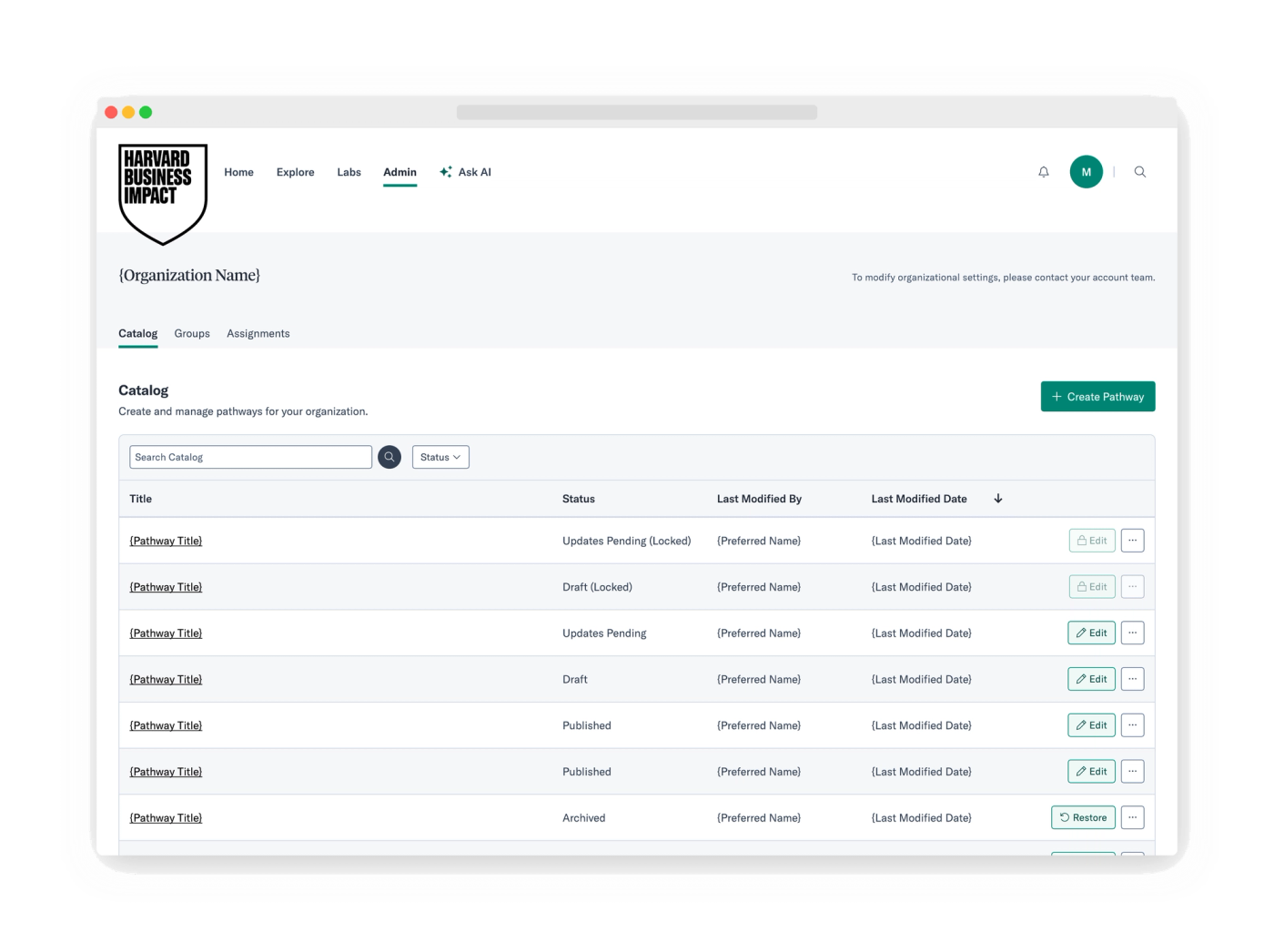
The work was organized around four core areas of the admin panel: Catalog, Groups, Assignments, and Pathway Editor. Each section was designed from first interaction to last.
For Groups, the full journey ran from an empty organization state through list management, group creation, member search and bulk import, detail view, inline editing, and save confirmation. The member management model needed to support two workflows: searching individual users within the organization and importing via CSV.
For Assignments, the design covered the list table structure, a detail modal with distinct view and edit modes, multi-assignee management with expandable lists, due date controls, and a cancel flow.
Before any Assignments UI was built, the notification logic was mapped as an explicit decision tree — who receives in-app notifications, under what conditions, when an admin assigns to a cohort versus a named individual. Designing the logic first prevented the UI from having to accommodate ambiguous behavior after the fact.
The Pathway Editor required its own design arc. Admins needed to author pathways from scratch. The content-building flow supported three item types: catalog content from the HBR Spark library (searchable and filterable by format, duration, publication date, skill, and language), external links including documents and media files, and original posts authored directly in the editor. Content could be organized into titled sections displayed as horizontal rows or vertical columns, with drag-and-drop reordering and the ability to mark individual items as optional. The pathway lifecycle followed a deliberate draft-to-publish flow and a distinct Updates Pending state handled edits to already-published pathways, giving admins the choice to view the current live version, discard changes, or push an update.
The Solution
The final deliverables covered the complete admin section of Harvard Business Impact across four feature areas.
Groups management: empty organization state, paginated group list with sortable columns and member counts, group creation form, detail view, inline edit mode, member search, bulk CSV import, remove member flow, and save confirmation — all responsive.
Assignments management: assignment list table with title, linked asset, due date, and creator; a detail modal in view and edit modes; multi-assignee display with expand/collapse; due date controls; and cancel assignment flow.
Assignment notification logic: a complete decision-tree diagram mapping how in-app notifications dispatch across two assignment paths — assigning to a group cohort versus assigning to an individual user.
Pathway Editor: the full authoring flow from creation through publishing, covering inline title editing, description and skills configuration, pathway thumbnail upload, and an archive option. Section management across row and column layouts with reorderable content. Item addition from three sources: the HBR Spark catalog (with format, duration, skill, and language filters), external links with optional descriptions, and custom-authored posts with media slots. Per-item controls for editing, marking as optional, and deletion via a context menu. Draft-to-publish lifecycle with a confirmation dialog showing the live URL, auto-save throughout, and an Updates Pending state for managing edits to published pathways. All screens delivered at desktop, tablet, and mobile breakpoints.
The result is a coherent admin system where every screen state is accounted for and every interaction pattern is consistent across feature areas.
Project Details
- Client
- Harvard Business Publishing
- Lead
- Wilma Huertas
- Service
- Design


Image viewer
Next Case Study
AI Pathway Curation for Harvard Business Impact
Harvard Business Publishing